Adly MCP + Claude

Generate on-brand social media designs from Claude

Stay inside Claude. Type what you need. Adly produces polished, brand-consistent visuals, approves copy, and queues everything for publishing. No context switching. No blank canvas.

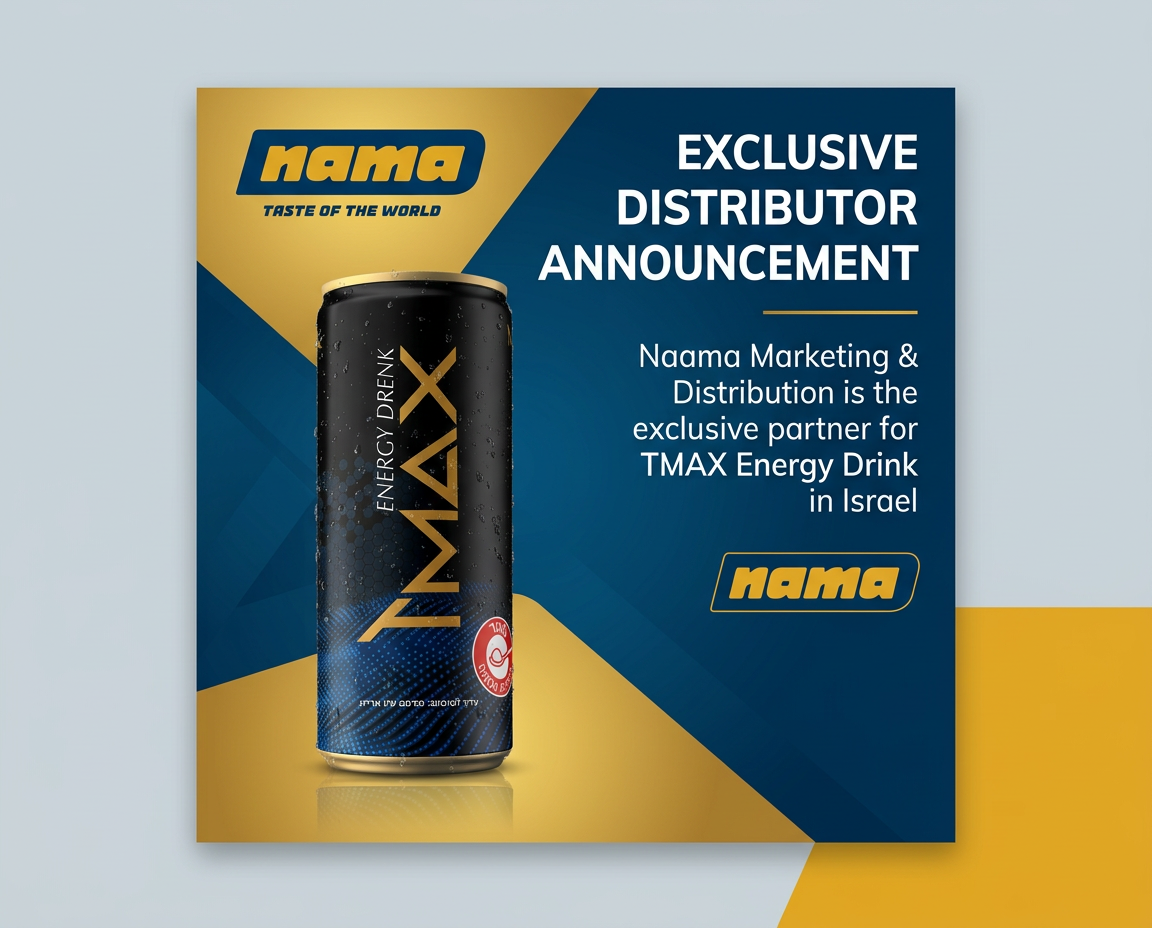
On-brand social media design generated through Adly AI
Brand context built in automatically
What this feature does

Adly MCP is a live Model Context Protocol server that connects Claude (and other MCP-compatible AI assistants) directly to your Adly account. When you ask Claude to create a social media post, it calls Adly's design engine using your saved brand profile: colors, fonts, logo, tone, and product context. Claude submits the job, polls for completion, and surfaces the finished design for your approval inside the same conversation. You approve the design, approve the copy, and head to Adly to publish or schedule. The result is a real, production-ready branded visual, not a generic AI image, generated without opening a separate design tool. Available on Solo plan and higher.

You already work in Claude. Your design workflow is somewhere else.

Every time you need a branded visual, you stop the conversation, open a design tool, rebuild context, and start over. That friction compounds across every post, every campaign, every week.

The Workflow

From a Claude message to a published design in 4 steps

Adly MCP follows the same create-approve-publish rhythm Adly uses natively, but the entire creation and approval loop happens inside your Claude conversation.

1
Connect once
Generate an MCP API key from Profile in Adly, then add the Adly MCP endpoint to your Claude client. Takes under 2 minutes.
2
Ask Claude
Tell Claude what you need: "Create a product launch post for my skincare brand" or "Make a tips carousel about home maintenance." No prompt engineering required.
3
Adly generates
Claude calls Adly's design engine using your saved brand profile. The job runs, Claude polls status, and the finished design surfaces in your conversation.
4
Approve and publish
Approve the design and copy directly in Claude. Head to Adly to schedule or publish to Instagram and Facebook when ready.
What You Can Create

Design types available through Adly MCP

Adly MCP exposes the same job types available in the Adly web app. Every output uses your brand profile automatically.

Job Type What it produces Brand-aware
General design Announcement posts, promotions, event graphics, and branded social content ✓ Yes
From image Enhance or combine reference images into polished branded visuals ✓ Yes
Tips carousel Multi-slide educational carousels with consistent brand styling across every slide Popular ✓ Yes
Multi-product Batch designs for multiple products in a single job, ideal for ecommerce campaigns ✓ Yes
UGC video Spoken UGC-style ads using Adly's actor library, scripted and on-brand ✓ Yes
Image to video Animate a still product or brand image into a short motion reel ✓ Yes

Need multi-slide layouts specifically for Instagram? The Instagram carousel generator inside Adly handles that with the same brand context.

What Adly produces when Claude calls it

These are real outputs from the Adly platform. Every video was created using brand context, not a generic prompt.

Beau Visage — product video created with Adly
Pro Hunter — motion ad created with Adly

Your brand is already loaded. Claude just uses it.

Most AI design tools treat every request as a blank slate. You describe your brand, paste hex codes, upload a logo, and hope the output looks consistent. Adly MCP works differently.

When Claude calls Adly, it selects your saved brand profile automatically. Your logo, primary colors, font choices, tone of voice, and product context travel with every job. The 10th post looks as consistent as the first.

Approve design and copy without leaving your conversation

Adly MCP follows the real Adly approval workflow: design first, then copy. Claude surfaces each stage inside the chat thread, and you confirm or request edits before moving forward.

No email threads. No Slack back-and-forth. No downloading a draft and re-uploading it somewhere else. The approval loop closes in the same place the brief started.

Available on Solo plan and higher

Adly MCP is included with Solo ($49/month), Growth, Pro, and higher plans. Generate your MCP API key from Profile in Adly, paste the endpoint into Claude's MCP settings, and you are connected. Same brands, same credits, same backend as the web app.

Get started →
Who Uses This

Built for people who already live in Claude

If you use Claude for strategy, copy, research, or planning, Adly MCP closes the last gap: turning those ideas into real branded visuals without switching tools.

📄

Content strategists

You plan a week of content in Claude. Now you can generate every design in the same session, approve it, and hand off a complete content calendar with assets attached.

👥

Agency creatives

Brief Claude on a client campaign, generate multiple design concepts across job types, and present approved options without opening a separate tool. Works across multiple client brands with Adly's multi-brand mode.

🛒

Ecommerce operators

Running promotions across many products? Use multi-product mode through Claude to batch-generate branded sale posts and product visuals in one job. Pair it with social media automation for e-commerce to close the loop.

🚀

Founders and solopreneurs

You write your own copy and strategy in Claude. Adly MCP means you can also produce the visuals in the same workflow, without hiring a designer or switching to Canva mid-thought.

🌟

Social media managers

Manage multiple brand accounts and post formats. Generate tips carousels, product posts, and UGC ads from Claude for each brand, then publish through Adly's scheduler.

🛠

Cursor and ChatGPT users

Adly MCP works with any MCP-compatible AI client, not just Claude. If you build in Cursor or work in ChatGPT, the same Adly connection and brand context applies.

Before vs. After

What the workflow actually changes

The difference is not just speed. It is the elimination of a context switch that breaks creative momentum every single time.

Without Adly MCP
  • Write strategy in Claude, then stop and open a design tool
  • Re-explain brand colors, fonts, and tone to a new tool
  • Generate a generic image that does not match your brand
  • Export, resize, add logo manually in another app
  • Send for approval over email or Slack
  • Log into a scheduler to publish separately
With Adly MCP in Claude
  • Brief Claude in natural language, no prompt engineering
  • Brand profile loaded automatically from your Adly account
  • Production-ready branded design returned in the same chat
  • Approve design and copy without leaving Claude
  • Edit requests sent back to Adly from the conversation
  • Publish or schedule inside Adly when ready

Wondering how Adly's design quality compares to other tools? Read the Adly vs Canva comparison for a direct breakdown of AI-powered design vs. template-based tools.

From the Field

What teams say about designing from Claude

★★★★★

"I used to spend 20 minutes switching between Claude and Canva for every post. Now I brief Claude, Adly generates the design with my brand colors already applied, and I approve it in the same window. The whole thing takes 3 minutes."

SR
Sara R.
Social media manager, lifestyle brand
★★★★★

"We manage 6 client brands in Adly. With MCP connected to Claude, I can brief a full week of content for a client, generate all the designs, and get approvals done without touching the Adly dashboard once. It is a completely different pace."

KM
Karim M.
Creative director, digital agency

If you prefer managing content creation and publishing directly from a messaging app, Adly also works as a full workspace inside WhatsApp. The AI social media manager on WhatsApp lets you create, approve, and publish branded content by message, using the same Adly account and brand context as MCP.

Your next branded post starts in Claude

Connect Adly MCP in under 2 minutes. Solo plan and higher. Same brands, same credits, same backend you already use.

Connect Claude to Adly →

Available on Solo ($49/month), Growth, Pro, and higher plans. No extra setup fee.