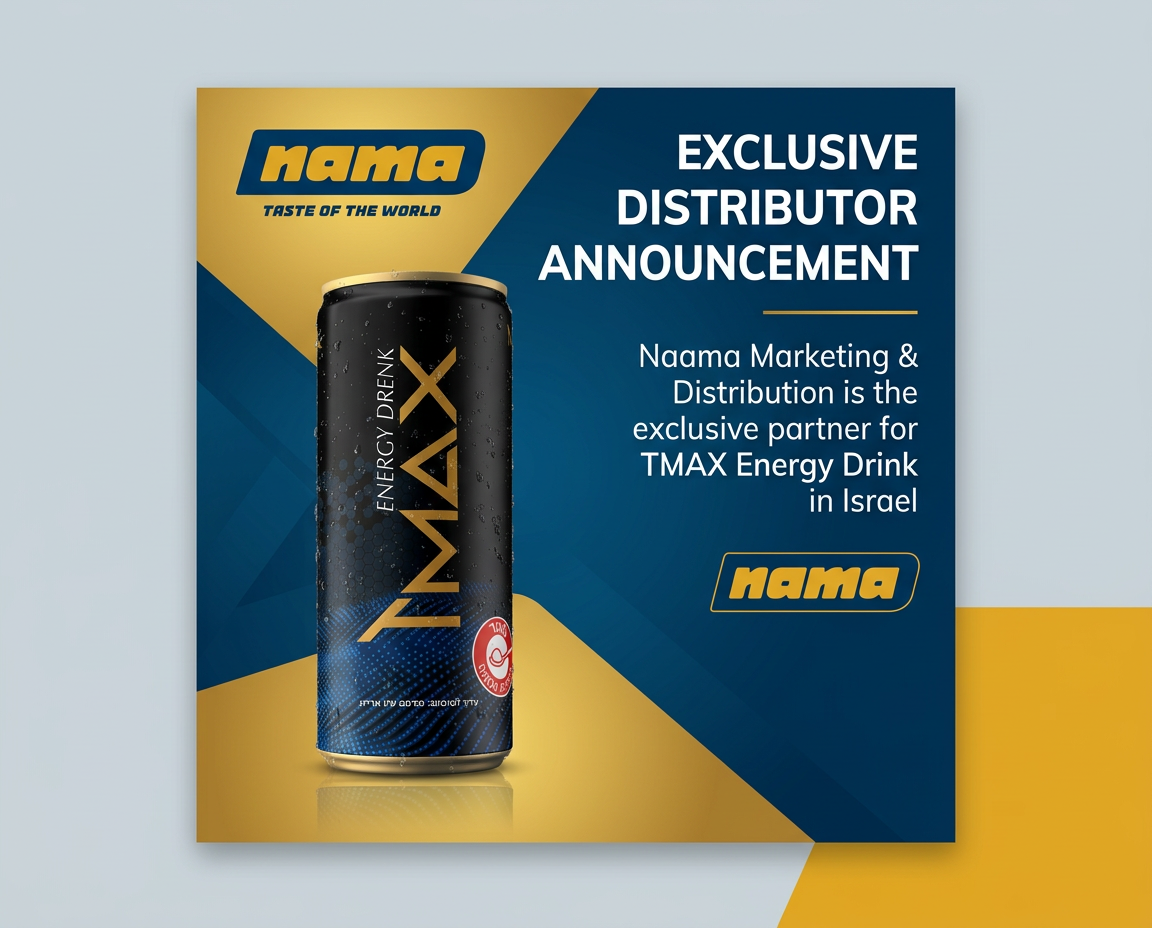
Static ad design created through Adly, triggered from an MCP-connected AI client. Brand colors, fonts, and product context applied automatically.
Type a brief in Claude. Adly MCP creates the UGC video, ad design, and copy inside your real Adly account, on your brand, with your credits. Approve or revise without switching tabs.
Available on Solo plan and higher. Uses the same brands, credits, and job types as the Adly web app.
Adly MCP is Adly's live Model Context Protocol server. It lets you run Adly's full creative production from inside Claude (or ChatGPT, Cursor, or any MCP-compatible client) without opening the Adly dashboard. You type a brief in Claude, Adly MCP creates the job inside your real Adly account using your brand profile, selected actor, and monthly credits, then returns a preview for you to approve or revise. The workflow covers UGC videos, ad designs, from-image creatives, multi-product sets, tips carousels, and image-to-video jobs. Approvals happen in the same conversation. Publishing and scheduling finish inside Adly when needed. Available on Solo plan and higher after generating an MCP API key from Profile in Adly.
No prompt engineering. No copy-pasting between tools. The Adly MCP server handles the production loop while you stay in Claude.
Tell Claude the product, the offer, and the tone you want. Adly's UGC video ads creator picks from a library of actors, writes a script aligned to your brand voice, records the delivery, and returns a polished vertical video ready for Meta ads or organic posting.
The actor speaks your brand's language. The hook, the pacing, the call to action: all shaped by the brand profile Adly already knows. You are not starting from a blank template or adjusting a generic AI avatar.
If the first take needs a punchier hook or a different closing line, say so in Claude. Adly MCP sends the edit request and returns the revised version. The whole loop stays in one conversation.
After approving a UGC video, ask Claude to create a matching Instagram feed image, a before/after post, or a multi-scene motion ad. Adly MCP queues each job under the same brand, keeping visual identity consistent across formats.
The UGC AI video generator and static ad jobs share the same brand library, so colors, fonts, product imagery, and tone carry over automatically. No manual brand briefing between jobs.
When you need a product video from a still image, Adly's image-to-video tool is also accessible from Claude. Brief the scene, approve the result, and the asset is waiting in your Adly Brand Library when you open the dashboard to schedule.
Adly MCP exposes the same job types available in the Adly web app. The difference: you trigger them from Claude without opening a dashboard.
Spoken video ads with a real actor from Adly's library. Script, delivery, and brand voice handled automatically.
ugc_videoMulti-scene video ads with voiceover and music. Brief the narrative arc; Adly assembles the scenes.
animated_video_adSend a product image reference and Adly animates it into a short reel. Useful for ecommerce and product launches. Learn more about how to turn product images into videos.
image_to_videoPrice-forward promos, before/after reveals, product sale posts, and announcement creatives. Adly applies your brand colors, fonts, and product imagery from the brand profile. The result is a design that looks like your brand made it, not a generic template. Pair with a UGC video from the same brief and you have a full campaign set ready for Meta.
general_designEducational multi-slide carousels for organic reach. Brief the topic; Adly writes and designs each slide.
tips_carouselRun one creative brief across a set of products. Useful for ecommerce catalogs and agency multi-client batches.
multi_productUpload a reference image and Adly builds a branded ad around it. Good for product photography you already own.
from_imageAd creative produced inside Adly, triggered from an external AI client via Adly MCP.
The difference is not just convenience. It is whether the output is actually on-brand, production-ready, and connected to your publishing workflow.
| Capability | Adly MCP (from Claude) | Generic AI image prompt |
|---|---|---|
| Brand context applied automatically | ✓ Uses your saved brand profile: colors, fonts, product images, tone | ✗ You describe the brand in every prompt from scratch |
| UGC video with a real actor | ✓ Actor library, script, voiceover, vertical format | ✗ Not available in generic image generators |
| Approval and revision loop | ✓ Approve design and copy, request edits, all in Claude chat | △ Re-prompt manually, no structured approval state |
| Connected to publishing | ✓ Approved assets land in Adly Brand Library, ready to schedule | ✗ Download, upload, reconnect to scheduler manually |
| Multi-format campaign set | ✓ UGC video, static ad, carousel, motion ad from one brief | ✗ Each format is a separate tool and workflow |
| Credits and billing | ✓ Uses your existing Adly monthly credits, no extra billing layer | △ Separate subscription or per-image cost on top of Claude |
Looking for a dedicated platform comparison? See how Adly compares as a createugc.ai alternative for teams that need more than a single-format UGC tool.
"I used to jump between Claude for strategy, Canva for design, and a separate UGC tool for video. Now I brief Claude once and Adly handles the whole creative stack. By the time I finish writing the campaign plan, the first UGC video is already waiting for my approval."
Static ad design created through Adly, triggered from an MCP-connected AI client. Brand colors, fonts, and product context applied automatically.
Connect Claude to Adly MCP in under 5 minutes. Generate your API key from Profile in Adly, add the endpoint to Claude, and brief your first creative. No new workflow to learn. No extra tools to pay for. Just your AI assistant, now connected to a full creative production engine.