Connect Adly to Claude, ChatGPT, or Cursor through the Model Context Protocol. Type a prompt in the AI tool you already use, and Adly creates on-brand designs, videos, and ad copy in your account without you switching tabs.
What this actually is
Adly MCP is Adly's own Model Context Protocol server. It gives Claude, ChatGPT, Cursor, and other MCP-compatible AI assistants direct access to your Adly account: your brands, your credit balance, and every job type Adly supports. You stay in the AI tool you already think in. Adly handles the creative production behind the scenes, using your brand profile so every output is on-brand from the first draft.
Adly MCP in plain terms: When you connect Claude, ChatGPT, or Cursor to the Adly MCP endpoint, those AI assistants gain the ability to create marketing jobs inside your Adly account on your behalf. You describe what you need in natural language. The MCP layer translates that into a real Adly job, polls for completion, and returns the result for your approval. The same brands, credits, and workflow you use in the Adly web app apply here. Publishing and scheduling are completed inside Adly when you are ready. To learn more about the protocol itself, see what Model Context Protocol is and how it works.
Works with the AI clients you already use
Use Claude's Projects or the Claude desktop app as your marketing command center. Describe a campaign, approve a design, request a copy revision, all inside the same Claude conversation.
MCP nativeConnect Adly to ChatGPT via the MCP endpoint and trigger design and video jobs mid-conversation. Your brand context travels with every request so outputs never look generic.
MCP compatibleDevelopers and technical marketers running Cursor can call Adly MCP tools alongside their code workflow. Generate ad creatives and carousels without leaving the editor.
MCP compatibleGetting connected
Setup takes under 5 minutes. You need an active Adly Solo plan or higher, at least one brand configured in Adly, and an MCP-compatible AI client.
Open Adly, go to Profile, find the Adly MCP section, and generate your personal API key. This key ties every MCP request to your account, brands, and credits.
In Claude, ChatGPT, or Cursor, add a new MCP server using the Adly endpoint URL and paste your API key. Each client has a slightly different settings panel, but the process takes under 2 minutes.
In your first message, name the brand or ask the AI to list your brands. Adly MCP searches your brand library and locks in the right brand profile, colors, and tone for the session.
Describe the content you need. The AI calls Adly, polls the job status, and returns your design or copy for review. Approve it or ask for edits, all in the same chat thread.
The real workflow
Every MCP request follows the same Adly approval workflow you would use in the web app. Nothing is auto-posted. You stay in control at every step. For a deeper look at the Claude-specific integration, see Adly MCP for Claude AI integration.
No prompt templates required. Say what you need: the product, the offer, the tone, the format. Claude interprets and calls the right Adly job type.
job type: product_sale / ugc_video / tips_carousel / from_image...Adly pulls your brand colors, fonts, logo, and product context. The design is built to match your brand, not a generic template. MCP polls the job status automatically and reports back when it is ready.
The AI shows you the result and asks for your call. Approve it or describe what to change. Adly processes the revision and returns the updated version in the same thread.
approve_design / edit_design: "make the background darker"Once the design is approved, Adly generates the post copy. You approve or edit it in chat. The same brand voice and context carry through from design to copy.
Approved assets land in your Adly account. Open Adly to schedule the post, push it to Instagram or Facebook, or launch it as a Meta campaign. Publishing is a deliberate step, not an automatic one.
Adly creative output
Every asset below was created through Adly's production engine, the same engine your Claude or ChatGPT session calls when you trigger a job via MCP.
On-brand design output
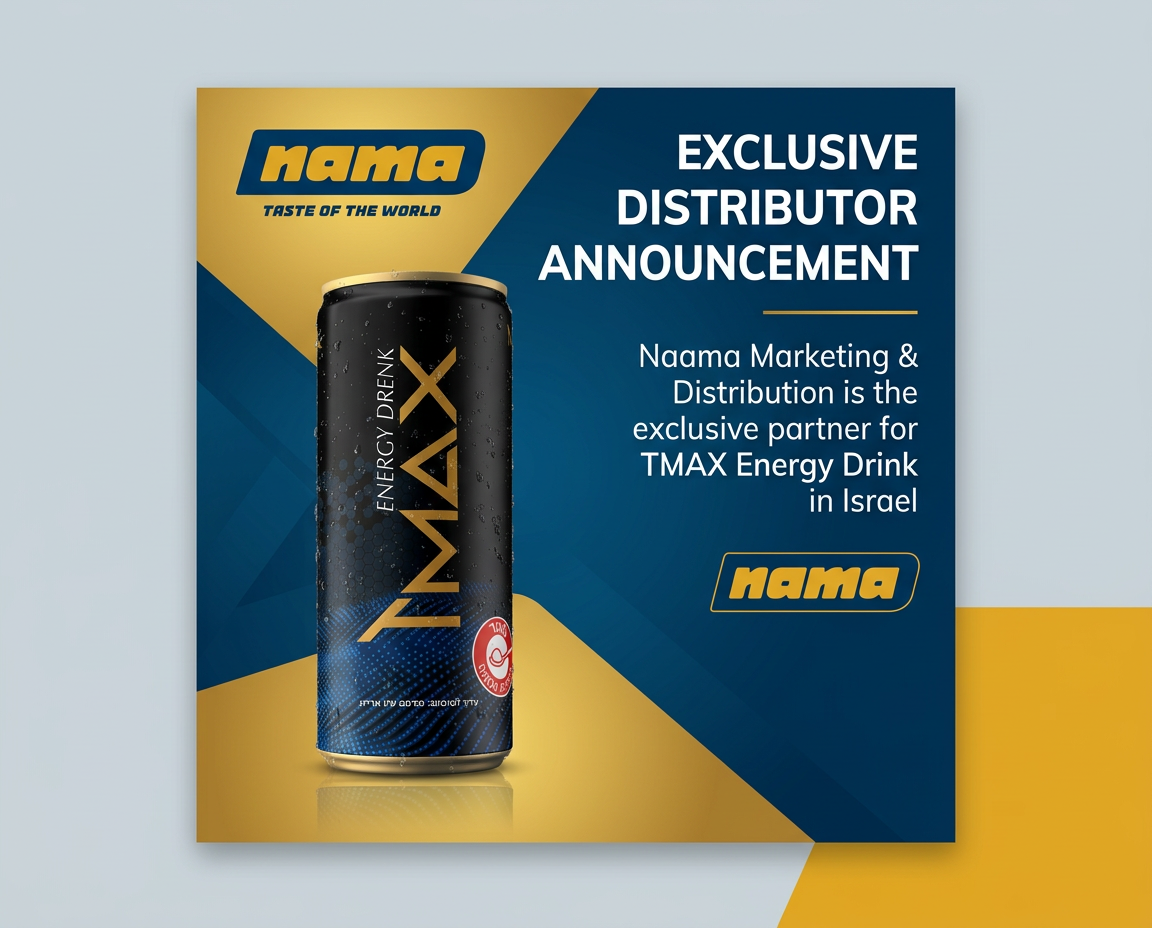
A product sale design generated by Adly using brand colors, product image, and offer copy. This is the kind of asset your AI client can request and approve in a single conversation.
Motion ad example
A polished motion ad produced by Adly. Trigger this job type from Claude or ChatGPT with a single prompt, then approve or refine in the same chat thread.
What Adly MCP can do
These are the real actions your AI assistant can perform against your Adly account through the MCP connection.
| MCP Tool | What it does | Claude | ChatGPT | Cursor |
|---|---|---|---|---|
| Brand search | Lists your Adly brands so the AI can select the right one | ✓ | ✓ | ✓ |
| Create design job | Launches announcement, product sale, tips carousel, multi-product, and more | ✓ | ✓ | ✓ |
| Create UGC video | Generates a spoken UGC ad using Adly's actor library and your script | ✓ | ✓ | ✓ |
| From-image job | Enhances or combines reference images into a new branded design | ✓ | ✓ | ✓ |
| Image-to-video | Animates a still image into a short reel | ✓ | ✓ | ✓ |
| Job status polling | Checks whether the design or video is ready without you refreshing anything | ✓ | ✓ | ✓ |
| Approve design | Marks the design as approved so copy generation can begin | ✓ | ✓ | ✓ |
| Edit design | Sends a revision instruction back to Adly and returns the updated version | ✓ | ✓ | ✓ |
| Approve copy | Locks in the post copy so the asset is ready for publishing in Adly | ✓ | ✓ | ✓ |
| Publishing to social | Completed inside Adly after approval. Not exposed through MCP v1. | In Adly | In Adly | In Adly |
Who uses this and why
You plan campaigns, write briefs, and think through positioning inside Claude. Before Adly MCP, you would export your ideas and paste them into a design tool or brief a designer. Now you stay in Claude, trigger the design job, approve the result, and move on. The creative execution happens without breaking your thinking flow. You can also generate on-brand social media designs from Claude for every post format Adly supports.
You are building a landing page or a campaign automation in Cursor. You need ad creatives to go with the launch. Instead of switching to a separate tool, you call Adly MCP from inside Cursor, generate the visuals, approve them, and continue building. The assets are waiting in your Adly account when you are ready to publish.
Your team brainstorms content ideas in ChatGPT, using it as a social media content ideas generator and editorial planner. With Adly MCP connected, the jump from idea to finished design is one prompt away. The team approves designs in the same session and hands off to the publisher without a separate briefing round.
You produce UGC-style video ads for multiple brands or product lines. Using Adly MCP, you can create UGC videos and ad creatives from Claude by describing the product, the actor style, and the script angle. Adly handles the production. You review and approve without leaving your AI workspace.
See the output
Every video and design your AI assistant triggers goes through Adly's full production pipeline. Brand colors, product context, and copy tone are baked in from the start. The result is ready to publish or run as a Meta campaign, not a draft that needs a designer to finish it.
From people already using it
I plan every campaign inside Claude. Being able to trigger Adly jobs without leaving that tab removed the biggest friction point in my week. The designs come back on-brand and I approve them in the same thread.
We use Cursor for building and ChatGPT for content. Connecting both to Adly MCP means our ad creatives are generated in the same environment where we are building the campaigns. It cut our production time in half.
The approval loop is what sold me. I was worried it would just auto-post things. But every design and copy piece comes back for my sign-off before anything goes live. That is exactly how I want to work.
Motion ad via MCP
A motion video ad triggered from an AI client and produced by Adly. The brand context, product visuals, and copy are all handled by Adly's engine.
UGC video output
A UGC-style spoken ad produced by Adly. Trigger this job from Claude or ChatGPT with a product description and script direction. Approve the result in the same chat.
Common questions
Does Adly MCP auto-post content without my approval?
No. Every design and copy piece comes back to you for review before anything moves forward. The MCP workflow follows the same approve-or-revise loop as the Adly web app. Publishing is a separate step you complete inside Adly when you are ready.
Do I need a separate Adly account for MCP, or does it use my existing one?
It uses your existing Adly account. The same brands, credits, and job history you have in the web app are available through MCP. You generate one API key from your profile and that key connects your AI client to your account.
Which plan do I need to use Adly MCP?
Adly MCP is available on Solo ($49/month) and higher plans, including Growth and Pro. If you are on Spark or Launch, upgrading to Solo unlocks MCP alongside Autopilot, WhatsApp Bot, and priority support.
Can I use multiple brands through MCP?
Yes. The brand search tool lets your AI client list all brands in your Adly account and select the right one for each job. If you manage multiple brands or clients, you can switch between them within the same session by naming the brand you want to work with.
What is the difference between Adly MCP and Autopilot?
Autopilot is Adly's in-app AI assistant, available inside the Adly dashboard. Adly MCP is for users who want to stay inside an external AI client such as Claude, ChatGPT, or Cursor and trigger Adly jobs from there. Both use your brands and credits. The difference is where you work.
Does MCP work with any MCP-compatible client, or only Claude?
Adly MCP works with any client that supports the Model Context Protocol standard. Claude, ChatGPT, and Cursor are confirmed compatible clients. If your preferred AI tool supports MCP servers, you can connect it using the same endpoint and API key.
Connect Adly to Claude, ChatGPT, or Cursor in under 5 minutes. Your brands, your credits, your approval workflow. No context switching required.
Connect your AI client to AdlyAvailable on Solo plan and higher. Starts at $49/month.