Adly MCP Workflow

Run your entire marketing stack
from inside Claude

Connect Adly to Claude via MCP and generate on-brand designs, approve ad copy, create UGC videos, and manage campaigns without leaving your AI assistant. This is what controlling real marketing tools from a chat interface actually looks like.

What this workflow does: Adly MCP is Adly's live Model Context Protocol server. It lets you connect an external AI assistant, such as Claude, to your Adly account and run real marketing jobs from chat. You can search your brand library, create image posts, launch UGC video jobs, approve designs, request copy edits, and check job status, all without opening the Adly dashboard. The workflow follows the same approve-then-publish sequence Adly uses natively: create a job, poll its status, approve the design, approve the copy. Publishing and scheduling happen inside Adly when you are ready. Adly MCP is available on Solo and higher plans and uses the same credits and brands as your existing account.

The context-switch tax is real

You are mid-conversation in Claude, thinking through a campaign. You need a product post, a UGC video, and a promo graphic. So you stop, open a browser tab, log into a design tool, configure a prompt from scratch, wait, download, go back to Claude, and try to pick up where you left off.

That friction is not a minor inconvenience. It breaks the creative flow, loses context, and turns a 5-minute idea into a 40-minute task. MCP removes the tab switch entirely. Your AI assistant talks directly to Adly. You stay in Claude. Adly does the production work.

From Claude prompt to approved creative in one session

Adly MCP exposes a set of tools that Claude can call on your behalf. The flow mirrors how Adly works natively, but every step happens inside your AI chat.

Step 1
Find your brand
Claude calls the brand search tool. Your Adly brand profile, colors, fonts, and tone are loaded into context automatically.
Step 2
Create the job
You describe what you need. Claude triggers the right Adly job type: announcement post, product promo, UGC video, carousel, from-image design, or multi-product set.
Step 3
Poll and review
Claude polls the job status until the design is ready, then surfaces the result for your approval or revision request.
Step 4
Approve and finish
Approve the design and copy from chat. Head to Adly when you are ready to schedule or publish to Instagram and Facebook.

To understand what Model Context Protocol is and how it works at a technical level, see the full protocol guide before setting up your first connection.

Connect Adly to Claude in 4 steps

No developer work required. You need an active Adly account on the Solo plan or higher and a Claude client that supports MCP tool use.

1

Generate your Adly MCP API key

Log into your Adly account and go to your Profile settings. Find the Adly MCP section and generate a new API key. Copy it somewhere safe. This key authenticates every request Claude makes to Adly on your behalf.

Adly MCP is available on Solo ($49/month) and all higher plans. If you are on Spark or Launch, upgrade first.
2

Add the Adly MCP server to your Claude client

In your Claude desktop app or MCP-compatible client, open the MCP server configuration. Add a new server entry pointing to the Adly MCP endpoint. Paste your API key into the authentication field.

https://getadly.com/mcp

The exact configuration format depends on your Claude client version. Most clients accept a JSON config block with the server URL and a bearer token header.

3

Verify the connection with a brand search

Start a new Claude conversation and ask it to list your Adly brands. Claude will call the brand search tool and return the brands linked to your account. If you see your brand names, the connection is working.

Example prompt to test:

"Search my Adly brands and tell me which ones are connected."
4

Run your first marketing job from Claude

Pick a brand and describe what you need. Claude will select the right Adly job type, pass your brand context, and trigger the job. You will get a status update as the design processes, then a result to approve or revise.

Tip: be specific about the format. Say "a square product promo post" or "a 30-second UGC video ad" rather than just "a post". Claude uses that detail to pick the right Adly job type.

What you actually say to Claude

These are the kinds of natural-language prompts that trigger real Adly jobs through MCP. No special syntax. No prompt templates to memorize.

Claude / Adly MCP
You: Use my Beau Visage brand and create a product promo post for our new vitamin C serum. Highlight the 30% launch discount. Square format. Adly MCP: Found brand: Beau Visage. Creating a product_sale design job with your brand colors and the serum promo brief. Job ID: 5481. Polling status...
Adly generates an on-brand promo design using your saved brand profile. No manual color or font setup needed.
Claude / Adly MCP
You: Create a UGC video ad for Pro Hunter's new outdoor gear drop. Female presenter, energetic tone, 30 seconds. English. Adly MCP: Selecting UGC video job for Pro Hunter. Matching actor from the Adly library. Generating script from your brief. Job queued. Estimated ready in 2-3 minutes.
A spoken UGC ad with a real actor, brand-aware script, and your product context. No video editing software involved.
Claude / Adly MCP
You: The design looks good but change the headline to "Limited: 30% Off This Week Only" and make the CTA button darker. Adly MCP: Sending edit request to Adly for Job 5481. Updating headline text and darkening CTA button. Polling revised design...
Edit requests go back to Adly's design engine. No manual Photoshop or Canva work. The revision comes back in the same chat thread.

For a full breakdown of generating on-brand social media designs directly from Claude, see the dedicated feature walkthrough with format-specific examples.

Adly creative output from MCP-triggered jobs

These are real Adly outputs from the same job types you can trigger through Claude. The brand context, design quality, and copy are the same whether you use the dashboard or MCP.

Pro Hunter product video created via Adly. This job type is triggerable from Claude using the Adly MCP connection.

Beau Visage brand video output. UGC and product video jobs like this run through the same MCP tools you connect to Claude.

What Adly MCP exposes to Claude

Adly MCP v1 covers the core creative production workflow. Here is what Claude can call on your behalf today.

Tool What it does Job types covered
Brand search Finds and loads your Adly brand profile, colors, fonts, and tone into the job context All jobs
Create job Triggers a new creative job in Adly using your brand and brief Announcement Product promo From image Multi-product Tips carousel Image to video UGC video
Poll job status Checks whether the design is still processing, ready for review, or complete All jobs
Approve design Marks the design as approved so copy generation can proceed All jobs
Approve copy Finalizes the ad copy or caption for the approved design All jobs
Request design edit Sends a revision instruction back to Adly's design engine without restarting the job All design jobs
Request copy edit Revises the generated caption or ad copy based on your feedback All jobs

Publishing and scheduling are not exposed through MCP v1. Once you approve the design and copy in Claude, open Adly to schedule to Instagram or Facebook, or launch a Meta campaign from the approved asset.

Brand context travels with every job

The biggest difference between Adly MCP and generic AI image generation is brand memory. When Claude calls Adly, your saved brand profile comes with the request: your color palette, logo placement rules, font choices, and tone of voice.

You do not re-describe your brand in every prompt. You say "use my Beau Visage brand" and Adly already knows what that means. The output looks like it came from your brand team, not from a generic AI prompt.

This is also why creating UGC videos and ad creatives using Claude produces results you can actually use in paid campaigns, not just rough concepts to hand off to a designer.
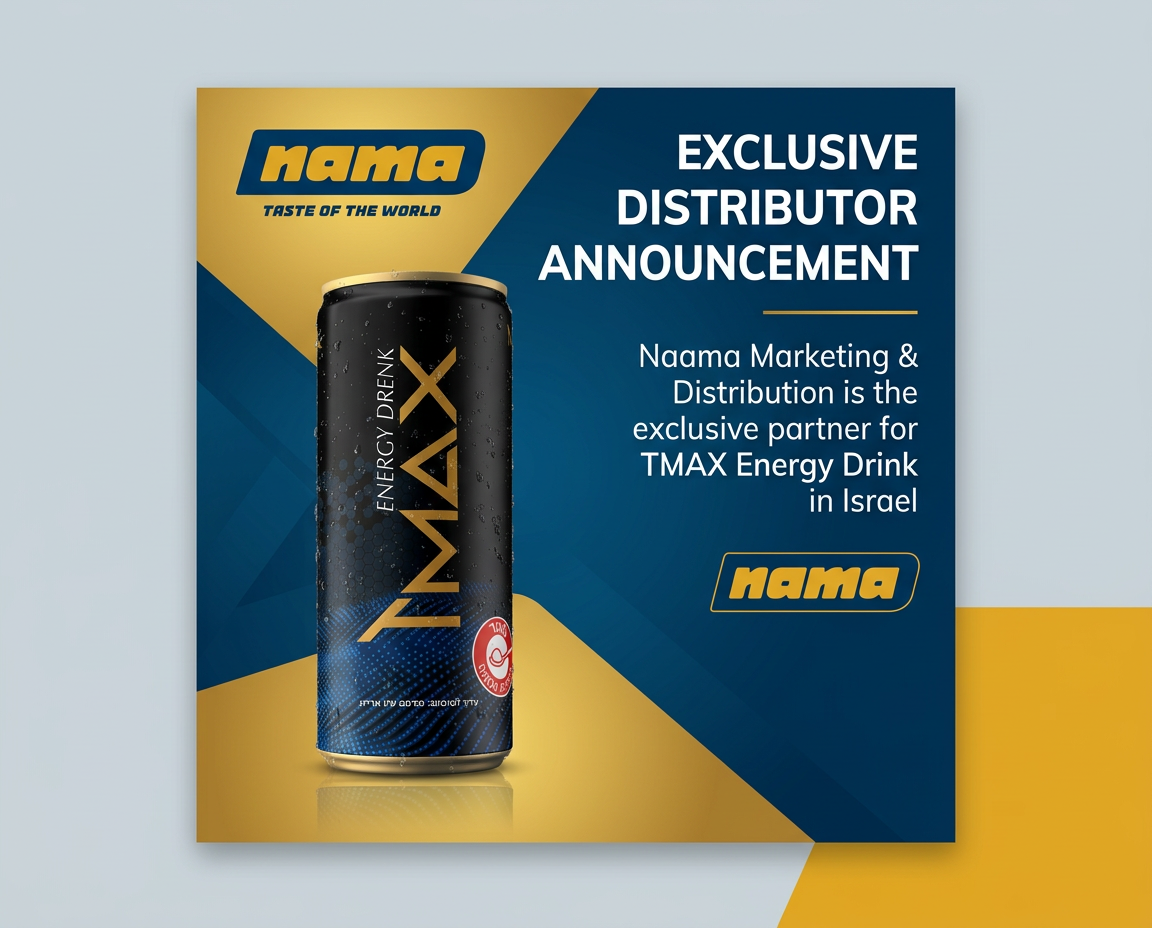
On-brand design output generated through Adly

The buyers who get the most from Adly MCP

This is not a workflow for everyone. It is specifically powerful for people who already live inside Claude and want marketing production to happen there too.

Founders running their own marketing
You use Claude for strategy, writing, and research. Now you can also trigger the actual creative production from the same session. No agency needed for execution.
📄
Freelancers managing multiple clients
Switch between client brands in Claude, create brand-specific posts and videos, and keep a full production log in one chat thread per client.
🚀
Growth teams running campaign sprints
Brief Claude on a campaign, generate 6 creative variants across formats, approve the winners, and move them into Adly for Meta campaign launch. All in one working session.
💻
Developers and Cursor users
If you already use MCP tools in Cursor or Claude for code, adding Adly MCP means your marketing assets live in the same workflow as your product work.

Motion ads and brand videos from Adly jobs

These are the kinds of outputs you get when Adly handles production. The same quality is available when you trigger jobs through Claude via MCP.

Al-Alamiya Doors brand motion video

Adly animated video ad output

Adly MCP starts at the Solo plan

Solo ($49/month) includes Adly MCP, Autopilot, Adly in Telegram, Adly in WhatsApp, WhatsApp Bot, and priority support. All plans use the same brands, credits, and job types as the web app. No separate MCP subscription.

Get Started

Things buyers ask before connecting

Does Adly MCP auto-post to Instagram without my approval?
No. Publishing is not exposed through MCP v1. You approve the design and copy in Claude, then go to Adly to schedule or publish. You stay in control of what goes live and when.
Does it use my existing Adly credits?
Yes. Adly MCP uses the same account, brands, and credit balance as your web app. There is no separate MCP credit pool. Image, video, and text credits work exactly as they do in the dashboard.
Can I use this with ChatGPT or Cursor, not just Claude?
Yes. Adly MCP works with any MCP-compatible client, including ChatGPT, Cursor, and other AI assistants that support the Model Context Protocol. The setup process is the same: generate an API key, add the Adly MCP server endpoint.
What if I want to run marketing from WhatsApp or Telegram instead?
Adly also has full workspace integrations for both. Adly in WhatsApp and Adly in Telegram let you create, approve, and publish marketing from those chat apps using the same Adly backend. MCP is for AI assistant clients; the messaging-app workspaces are for business owners who prefer to work from their phone.
Is this different from Autopilot inside Adly?
Yes, they are separate products. Autopilot (Think with me) is Adly's in-app AI assistant inside the dashboard. Adly MCP connects external AI tools like Claude to Adly. If you prefer working inside the Adly interface, use Autopilot. If you prefer staying in Claude or Cursor, use MCP.

Your AI assistant. Your marketing platform. One workflow.

Stop switching tabs between Claude and your marketing tools. Connect Adly via MCP and run brand-aware creative production from the AI assistant you already use every day.

Connect Adly to Claude Now

Solo plan and higher. Uses your existing Adly account and credits.

Also useful for this workflow: