AI Ad Creative

Your AI ads are starting to look like everyone else's. Here's how to fix that.

The problem isn't AI. It's that most AI ad tools know nothing about your brand. Adly AI builds your brand context into every creative, so your ads look like you made them, not like a template someone else already used.

Make Your First Standout Ad
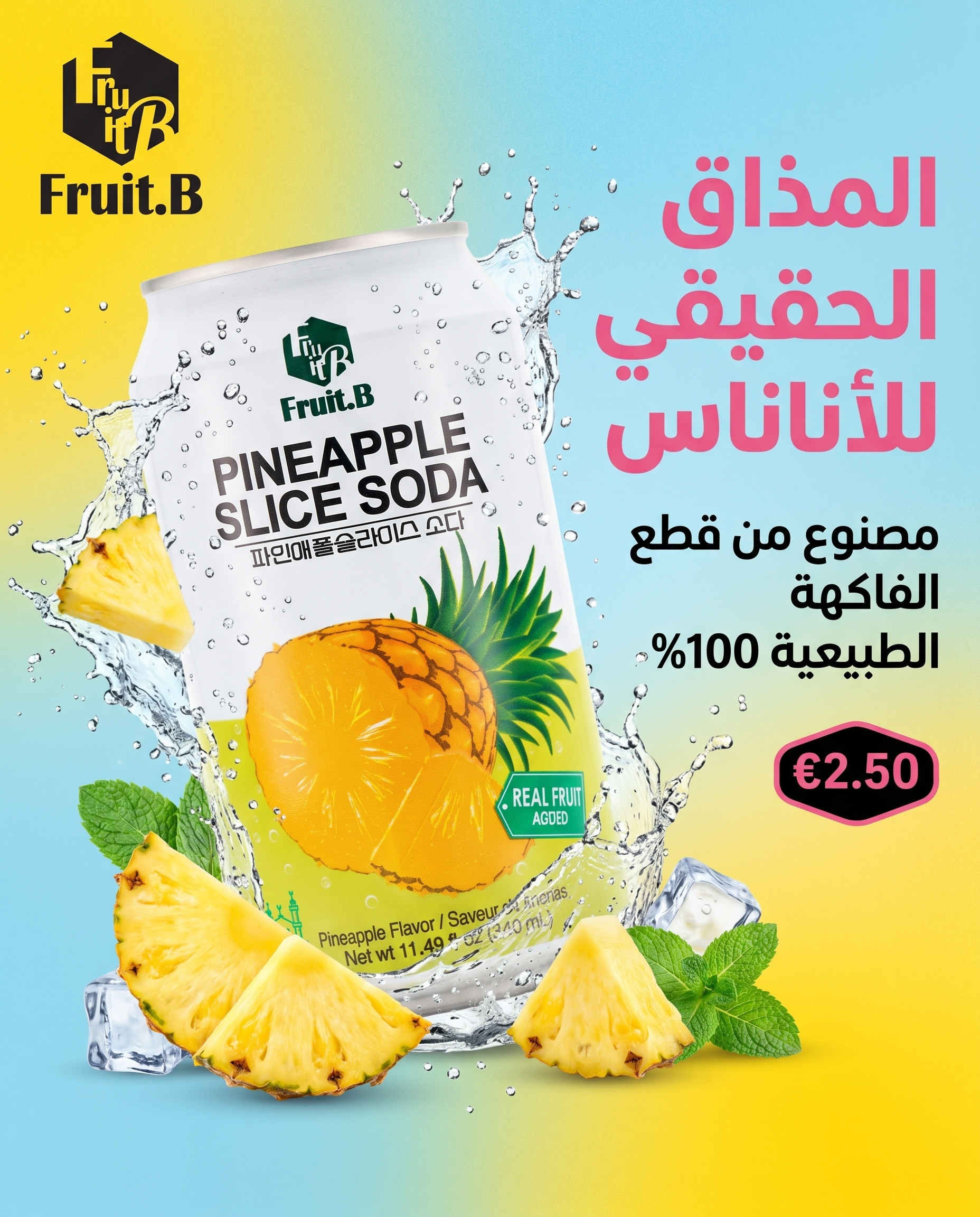
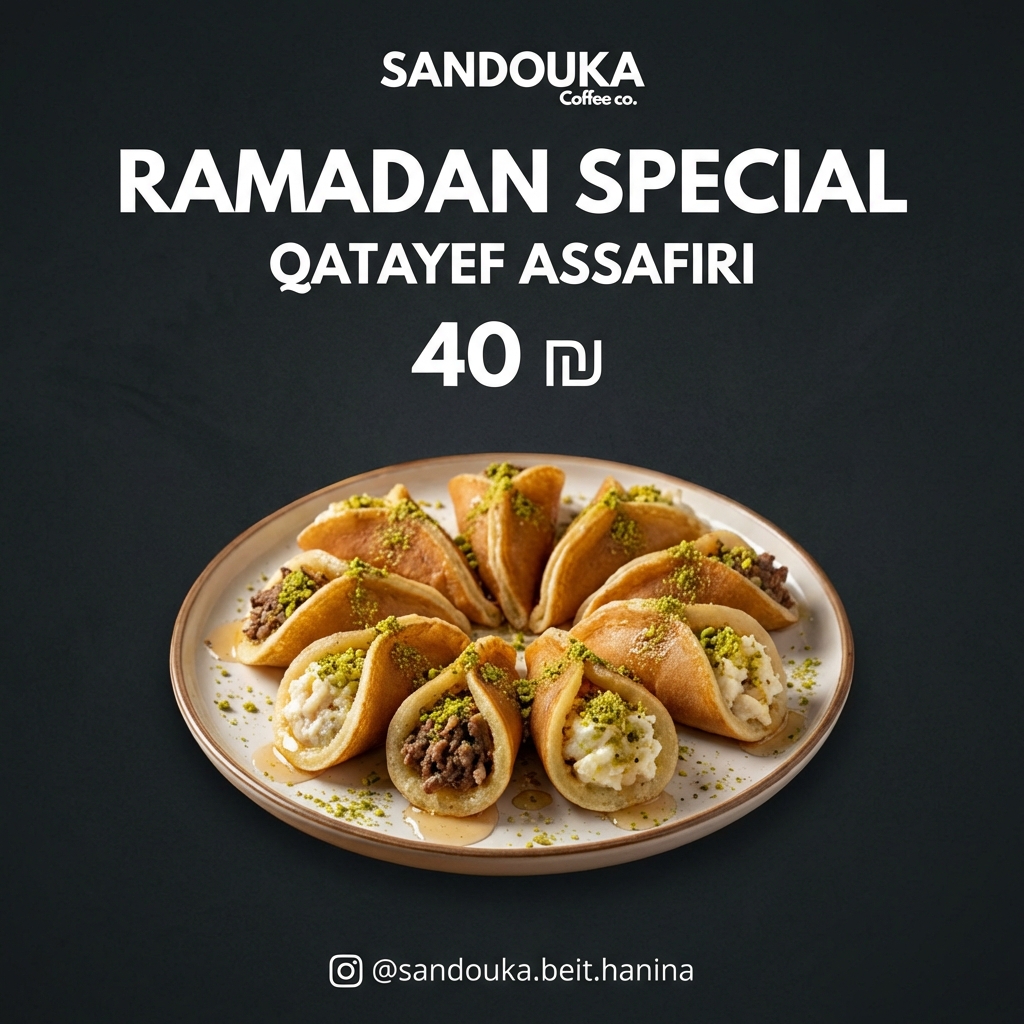
Distinctive AI-generated brand creative by Hani AI on Adly

Why AI ads go generic by default

Most AI creative tools treat every brand the same. They pull from the same stock aesthetics, the same typography habits, and the same compositional shortcuts. The result: ads that feel familiar in the worst way.

If you've ever looked at your AI-generated ad and thought "this could be anyone's", that's not a prompt problem. That's a missing-brand-context problem.

📷
Stock-photo energy Flat, interchangeable backgrounds that signal "AI template" to any trained eye.
🔄
No brand memory Every generation starts from zero. Your colors, tone, and product style don't carry over.
📋
Copy that fits nobody Generic headlines that could work for any competitor in your category, which means they work for none of them.
🎬
One-shot video limits Short clips with no story arc. Hook, product, and CTA all crammed into 6 seconds with no room to breathe.
The short answer

Designing AI ads that stand out requires 3 things working together: brand context baked into the generation engine, creative formats that go beyond flat image templates, and the ability to direct the visual story rather than just accepting what the AI gives you. Adly AI handles all 3 from one platform. Your brand profile, colors, product images, and tone are loaded before the first pixel is generated. You choose from ad formats that include spoken UGC videos, multi-scene commercials, animated product ads, and stylized image concepts. And you approve, revise, or redirect each creative before it ever goes live. The output looks like your brand because it was built with your brand as the starting point, not as an afterthought.

How Adly does it differently

5 creative levers that separate your ads from the crowd

These aren't settings you toggle. They're structural differences in how Adly approaches creative generation compared to generic AI tools.

01

Brand Profile as creative foundation

Before Adly generates anything, it reads your brand: your colors, your product category, your visual style, your tone. The Brand Power optimizer strengthens this profile over time. Every creative starts from your brand identity, not from a blank slate.

Brand Library + Optimize Brand
02

Your product image, not a stock substitute

Use the From Image mode to drop your actual product photo into the generation flow. Adly builds the scene, lighting, and composition around your real product, not a placeholder. The result looks like a professional shoot, not a clip-art swap.

from_image mode
03

UGC video with real actor delivery

Adly's UGC video mode pairs your script with a curated actor library. The result is a spoken, face-to-camera ad that feels like a genuine customer recommendation, not a robotic text-to-video output. Authenticity is the differentiator that stock AI video can't replicate.

ugc_video mode
04

Multi-scene commercials with Scene Studio

Single-clip AI video has a ceiling. Scene Studio lets you build a proper commercial: hook, product reveal, social proof, CTA, across up to 6 scenes and about 60 seconds total. You control the voiceover mood, on-screen text, music continuity, and scene order. No other AI ad tool gives you this kind of directorial control in one place.

Scene Studio
05

Idea Swipe for concept exploration

Not sure which creative direction will cut through? The Idea Swipe mode generates 3, 6, or 9 distinct concept variations from a single brief. You see real creative diversity before committing to a direction, instead of iterating blindly on one generic output.

idea_swipe mode
06

Approve and revise before anything goes live

Adly's workflow is generate, review, approve or redirect, then publish. You're not locked into the first output. Request a design edit, swap the copy angle, or regenerate a single scene without starting over. The approval step is what keeps your brand in control of the final creative.

Approval workflow

What "standing out" actually looks like

These are real creatives made by real brands on Adly. Notice the specificity: each one is unmistakably its own brand.

Beau Visage premium product staging creative made with Adly AI
Beau Visage Premium product staging, custom scene composition
Embroidery brand ad creative with tactile texture detail made with Adly
Embroidery Brand Tactile texture rendering, niche product specificity
Beauty brand soft-lighting ad creative made with Adly AI
Beauty Brand Soft realistic lighting, brand-matched layout structure

A luxury medical commercial. Directed by you, built by AI.

This cinematic ad for a premium aesthetic clinic was built inside Adly using director-mode creative direction. Black, white, and gold palette. Confident product reveal. Premium atmosphere. Nothing about it says "AI template".

Scene Studio gives you the same directorial control for your brand. Write a commercial brief, let AI plan the scenes, then shape each one: adjust the voiceover mood, lock the music feel across scenes, and add on-screen text where the story needs it.

For brands that want to go deeper into the creative workflow, you can also generate on-brand social media designs from Claude using Adly's MCP integration, keeping your brand context without switching tools.


Scene Studio commercial. Director mode. Adly AI.

Scene Studio

Build a real commercial, not just a clip

Most AI video tools give you one shot. Scene Studio gives you a timeline. Up to 6 scenes, up to about 60 seconds total, with a story arc you actually designed.

1

Write a commercial brief or paste your product details. AI plans 2 to 6 scenes toward your target length automatically, or you write each scene yourself in Manual mode.

2

Set voice narration mood, dialect, and on-screen text per scene. Lock music continuity across scenes so the ad feels cohesive, not stitched together.

3

Preview each clip in the timeline editor. Rearrange scenes, regenerate individual ones, or take multiple versions of a single scene before committing.

4

Export the finished commercial with crossfade transitions. Add a final music bed if you kept per-scene music off. Publish directly to Instagram or Facebook, or download for Meta campaigns.

Luxury fragrance commercial. Scene Studio, Beau Visage. Adly AI.

The ad format that still feels human

Polished product visuals are one thing. But the format that consistently outperforms on social is a real person talking directly to camera about a real problem they had. That's what UGC video does, and Adly's actor library makes it available for any brand, at any budget.

You write the script (or let Adly's ad copy tools draft it). You pick the actor whose energy fits your brand. Adly handles the production. The result is a spoken, face-to-camera ad that audiences trust because it doesn't look like an ad.

Explore the full capability in the ugc ai video generator feature guide, or see how to run the whole workflow from an external AI assistant in the guide to create UGC videos and ad creatives from Claude with Adly.

Why Adly wins this

What brand-aware AI creative actually means in practice

Here's the honest difference between generating with a generic AI tool and generating with Adly's brand context system.

Creative moment Generic AI tool Adly AI brand-aware
Starting point Blank prompt, no brand memory Your brand profile, colors, product category loaded before generation
Product visuals Stock-style placeholder or generic object Your actual product photo used as the scene anchor (from_image mode)
Video format Single short clip, no story arc UGC actor video, animated product ad, or up to 6-scene commercial with timeline editor
Creative variety One output per prompt Idea Swipe generates 3, 6, or 9 distinct concept directions from one brief
Copy Generic headline that fits any brand Ad copy generated from your brand brief, product, and campaign goal
Control Accept or start over Approve, revise, edit, or regenerate individual elements before publishing
Publishing Download and post manually Publish directly to Instagram and Facebook, or launch as a Meta campaign from the same platform

From brief to live ad in one place

Adly isn't a creative generator you export from and then manage somewhere else. The whole workflow lives in one platform.

🌟
Brief your brand Load your brand profile, product, and campaign goal
🎨
Generate creative Image, UGC video, animated ad, or multi-scene commercial
✅
Approve or revise Edit design, swap copy, or regenerate before anything goes live
🚀
Publish or schedule Direct to Instagram and Facebook, or queue in the content calendar
🎯
Launch as a paid ad Run approved assets as Meta campaigns from inside Adly
Astra X brand creative showing clean typography integrated with AI-generated brand elements in Adly

Real questions before you commit

? I've tried AI ad tools before and the outputs always look the same. Why is Adly different?
Most tools generate from a prompt with no brand context. Adly generates from your brand profile: your colors, your product images, your tone, and your category. That's the structural difference. The Brand Power optimizer also strengthens your profile over time, so outputs get more specific to your brand the more you use it. If you want to start exploring creative directions before committing to a full campaign, the social media content ideas generator inside Adly helps you map out concepts first.
? Can I use my own product photos instead of AI-generated ones?
Yes. The From Image mode takes your actual product photo and builds the creative scene around it. Adly generates the background, lighting, and composition while keeping your real product at the center. This is one of the most reliable ways to make an AI ad that looks unmistakably like your brand.
? What if I need a video ad, not just a static image?
Adly has multiple video formats built in. UGC video for authentic talking-head ads. Animated product ads for motion creatives. Scene Studio for multi-scene commercials up to about 60 seconds. Each format serves a different creative need. You're not limited to one approach, and you don't need a separate video tool.
? How does Adly compare to other AI advertising platforms on price?
Adly starts at $19 per month for the Spark plan, which includes core AI creation, Meta campaigns, and leads management. Plans scale up to Solo ($49) and Growth ($119) for teams that need UGC video, Scene Studio, multi-brand mode, and messaging-app workspaces. For a full breakdown of what's available at each tier, the budget-friendly ai advertising platforms comparison guide covers the landscape in detail.
? Do I need to be a designer or marketer to get good results?
No. Adly's modes are structured around your goal, not around design software skills. You describe your product and campaign intent. Adly handles the creative production. The approval workflow means you always see the output before it goes anywhere, so you stay in control without needing to know how to build it yourself.

Your brand deserves ads that look like you.

Stop generating ads that could belong to any brand. Adly builds your brand context into every creative, from the first pixel to the published post.

Start Making Standout Ads

No design skills required. Brand context built in. Updated August 2026.