Claude thinks through your positioning, campaigns, and content angles. Adly MCP turns every idea into on-brand visuals, ad creatives, and social posts without you switching a single tab.
Available on Solo plan and higher. Adly MCP is live now.
The short answer: You build the strategy inside Claude by feeding it your brand context, audience, goals, and campaign window. Claude produces a structured plan with content pillars, messaging angles, and post ideas. Then, through Adly MCP, Claude sends each creative job directly to your Adly account, where your brand profile, fonts, and colors are already loaded. Adly generates the designs and copy. You approve them inside Adly, then publish to Instagram and Facebook or launch as paid Meta campaigns. The entire loop runs without leaving your Claude conversation. You get a real strategy that executes itself, not a document that sits in a folder.
Claude can write a brilliant 30-day content plan in minutes. But that plan is text. Turning it into 20 designed posts, 4 ad creatives, and 2 video ads used to mean briefing a designer, waiting, revising, and still not having anything scheduled by Monday.
Each phase hands off to the next. Nothing gets lost between strategy and execution.
Feed Claude your brand name, audience, tone, key differentiators, and campaign goal. The richer the input, the sharper the output.
ClaudeClaude structures a full content plan: pillars, post types, ad angles, copy hooks, and a publishing calendar. All in one response.
ClaudeClaude calls Adly MCP tools to create each job: announcement posts, product promos, carousels, UGC video ads. Your brand profile loads automatically.
Adly MCPReview designs and copy inside your Adly account. Request edits or approve. The same workflow you would use with a human designer, just faster.
AdlySchedule to Instagram and Facebook, or launch as a paid Meta campaign directly from approved assets. No re-uploading. No reformatting.
AdlyThe quality of the strategy depends on how you brief Claude. Here is what a strong brief looks like at each phase, and what Claude produces in return.
Claude works best when you treat it like a senior strategist on day one. Give it your brand, your audience, what you sell, what makes you different, and what you want to achieve this month. Be specific about budget range, platform focus, and any seasonal hooks.
A good Claude response at this stage gives you a week-by-week breakdown with specific post types (announcement, before/after, tips carousel, product promo), copy hooks for each, and ad creative briefs. Ask Claude to label each item by Adly job type so the MCP calls are clean.
Once Adly MCP is connected, Claude can call the Adly job creation tools directly. It selects your brand, specifies the job type, passes the creative brief, and Adly starts generating. Claude then polls for job status and reports back when designs are ready for your review. You stay in the conversation the whole time.
For a full walkthrough of the MCP connection setup, see the guide on how to use MCP to control marketing tools from Claude. It covers the API key setup, endpoint configuration, and first job creation step by step.
Claude handles creation and polling. Approval and publishing happen inside your Adly account, where you see the actual designs, not just text descriptions. You can request design edits or copy changes, approve the final version, and then schedule it to your connected Instagram and Facebook pages or push it straight into a Meta campaign with a campaign objective, audience, and budget.
This is the same approve-and-publish rhythm that agencies use with clients, except you are the one in control and the turnaround is minutes, not days.
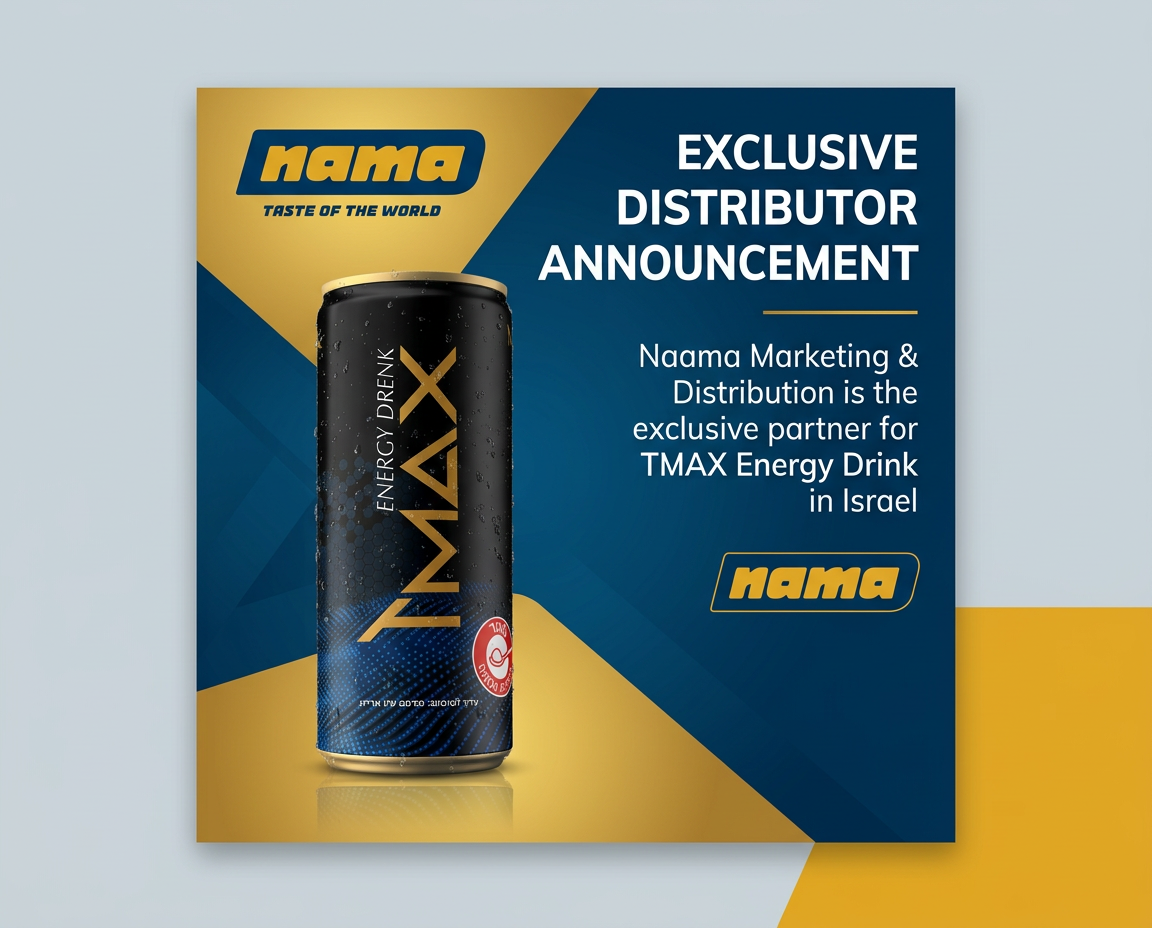
The reason Adly MCP output looks different from generic AI image generation is brand context. When Claude sends a job to Adly, it selects your specific brand profile, which includes your logo, color palette, fonts, and product images. Adly uses that context to generate designs that are ready to publish, not rough concepts that need a designer to clean up.
This is what makes the Claude-to-Adly workflow commercially useful rather than just technically interesting. To see how the design generation works at the feature level, the guide on generate on-brand social media designs from Claude shows the exact job types and brand-loading behavior.
An Adly-generated design created from a Claude content strategy brief, with brand colors and layout applied automatically.
A complete marketing strategy is not just static posts. It needs video, and specifically the kind of short-form video that performs on Instagram Reels and Meta ads. Adly supports UGC-style spoken video ads, animated motion ads with voiceover, talking character ads, and product studio videos, all triggerable from Claude via MCP.
Claude writes the script and selects the format based on your strategy. Adly handles actor selection, voiceover, music, and rendering. The result is a finished video ad ready for your approval, not a storyboard you still need to produce. The full capability breakdown is in the guide on create UGC videos and ad creatives from Claude with Adly.
A UGC-style video ad generated through Adly, the kind of creative Claude can brief and Adly can produce in one workflow.
These are real Adly-generated videos, the kind of assets your Claude strategy produces when connected to Adly MCP.
Claude is a brilliant strategist. Adly MCP is what makes the strategy executable. Here is what each approach actually delivers.
| Capability | Claude alone | Claude + Adly MCP |
|---|---|---|
| Marketing strategy and content plan | Yes | Yes |
| On-brand visual post generation | No | Yes, brand profile loaded |
| Ad creative production (static and video) | No | Yes, all major formats |
| UGC video with real actors | No | Yes, actor library included |
| Design and copy approval workflow | No | Yes, approve or revise in Adly |
| Direct publish to Instagram and Facebook | No | Yes, after approval in Adly |
| Launch paid Meta campaigns from approved assets | No | Yes, campaign builder in Adly |
| Lead capture from landing pages | No | Yes, AI landing pages and CRM |
| Context switching required | Only for execution | Minimal, stay in Claude for creation |
I used to spend a full day briefing my designer after every strategy session. Now I brief Claude, it builds the plan, and by the time I finish reviewing the strategy, the first 5 designs are already waiting in Adly for my approval. I shipped a full month of content in one afternoon.
Not every session starts with a clear campaign brief. Sometimes you need to discover what to talk about before you can build a strategy around it. Adly's social media content ideas generator gives you a starting point: topic clusters, post angles, and content themes specific to your brand and industry.
Once you have a shortlist of angles, bring them into Claude with your brand context and ask Claude to build a full strategy around the strongest 3. Then use Adly MCP to execute. The idea-to-strategy-to-execution loop becomes one continuous session rather than three separate tools.
A finished ad creative produced through the Adly workflow, starting from a content idea and ending as a publishable video.
Adly MCP is Adly's own Model Context Protocol server. It lets Claude talk directly to your Adly account, brands, and job queue. You do not need to write code or configure a server. The setup is three steps inside your Adly account.
For the complete technical walkthrough, including the API key generation, endpoint URL, and Claude Desktop configuration, see the guide on Adly MCP for Claude AI marketing creation. It covers every MCP tool available, what each one does, and how to structure your Claude prompts to get clean job creation calls.
A UGC video ad created through the Adly MCP workflow, from Claude brief to finished creative.
Adly MCP is available on Solo and higher. Here is what each relevant plan includes for the Claude-to-ads workflow.
Not deeply. The Adly MCP tools handle the job type mapping. You tell Claude what kind of post you want in plain language (a before/after post, a product promo, a UGC video ad), and Claude selects the right Adly job type when calling the MCP tool. You can also be explicit in your prompts if you want precise control over which Adly format is used.
Publishing is handled inside Adly, not through MCP. Claude creates the jobs and polls for completion. Once designs are approved inside your Adly account, you schedule or publish from there. This keeps the approval step in your hands, which matters for brand-sensitive content. It is one tab switch, not a full context change.
Adly has Autopilot built into the web app. It is a brand-aware marketing assistant in the sidebar that can build a content plan, create jobs, and schedule posts without you opening Claude. Autopilot is available on Solo and higher. The Claude-plus-MCP workflow is for people who already work inside Claude and want Adly's production capabilities from there.
Both. Solo operators use it to replace a designer and a strategist in one session. Agencies on Growth or Pro plans use multi-brand mode to run the same Claude strategy across multiple client brands, each with its own brand profile loaded into Adly. Claude selects the right brand per client, and Adly generates on-brand assets for each one separately.
Connect Adly MCP to your Claude account and turn your next strategy session into a live campaign before the day is over.
Start with Adly AISolo plan and higher. Adly MCP is live now. No waitlist.