
iPhone app buyer's guide
AI Post Maker App for iPhone: From Product Photo to Scheduled Post
Adly for iPhone is an AI post maker app for small businesses and social media managers that designs posts and UGC videos in your brand style, writes a caption for each network, and publishes or schedules them to Instagram, Facebook Pages, TikTok, LinkedIn and X (X on the Solo plan).
App Store prices, plan details and network limits on this page were checked in November 2026.
On an iPhone, getadly.com/ios opens the App Store listing directly. You can also go straight to Adly on the App Store. It is free to download and needs iOS 17 or later.
- Your real product photo goes in
- A design in your colors and fonts
- A caption written for each network
- Published now or scheduled
What is the best AI post maker app for iPhone?
It depends on what you want at the end. If you sell products, run a local business or manage several social accounts, and you want a finished post from your phone, pick Adly: it designs in your brand style, writes a caption per network and posts to five networks. If you want private AI art made on the device, pick Draw Things. If you prefer editing templates by hand, pick PosterMyWall.
- Adly for iPhoneBest fit if you sell products, run a local business or manage several networks and want the design, the caption and the publishing done in one app.
- Draw ThingsBest fit if you want AI artwork generated privately on your own device.
- PosterMyWallBest fit if you like picking a template and editing flyers or event posts by hand.
Post maker or image generator? Run this five-part test
Most apps that show up for this search make pictures. A post needs more than a picture. Score any app, Adly included, on these five jobs.
- Designs the visual. A layout with your headline, offer and logo placed on it, ready for a feed. Raw artwork with nothing on it still needs a second app.
- Gets the words on the image right. Prices, dates and product names must read exactly as you typed them. A typo in a price is the fastest way to lose a buyer's trust.
- Sizes it for the network. Square or 4:5 portrait for feeds. Tall 9:16 for Stories, Reels and TikTok.
- Writes the caption. One per network. X caps a post at 280 characters, so a long LinkedIn caption will not fit there as written.
- Publishes or schedules. The post should leave your phone from inside the app, without saving it, switching apps and uploading again.
Then ask one more question for any business: does it keep your colors, fonts and logo the same on every post?
Definition you can quote
An AI post maker app is a phone app that produces a social media post you can publish as it is. It creates the visual as a finished design with your headline, offer and logo on it. It sizes that design for the network, writes the caption, and publishes or schedules it. An AI image generator covers only the first part: it makes artwork from a prompt, and you finish the post somewhere else. The difference shows up in time. With an image generator, one promo post means generating art, moving it to a design app for text, resizing it, writing a caption, then opening each social app to post. With a post maker, those steps happen in one place, and your job becomes review and approval. For a business posting a few times a week, that review step is the part worth keeping in your own hands.
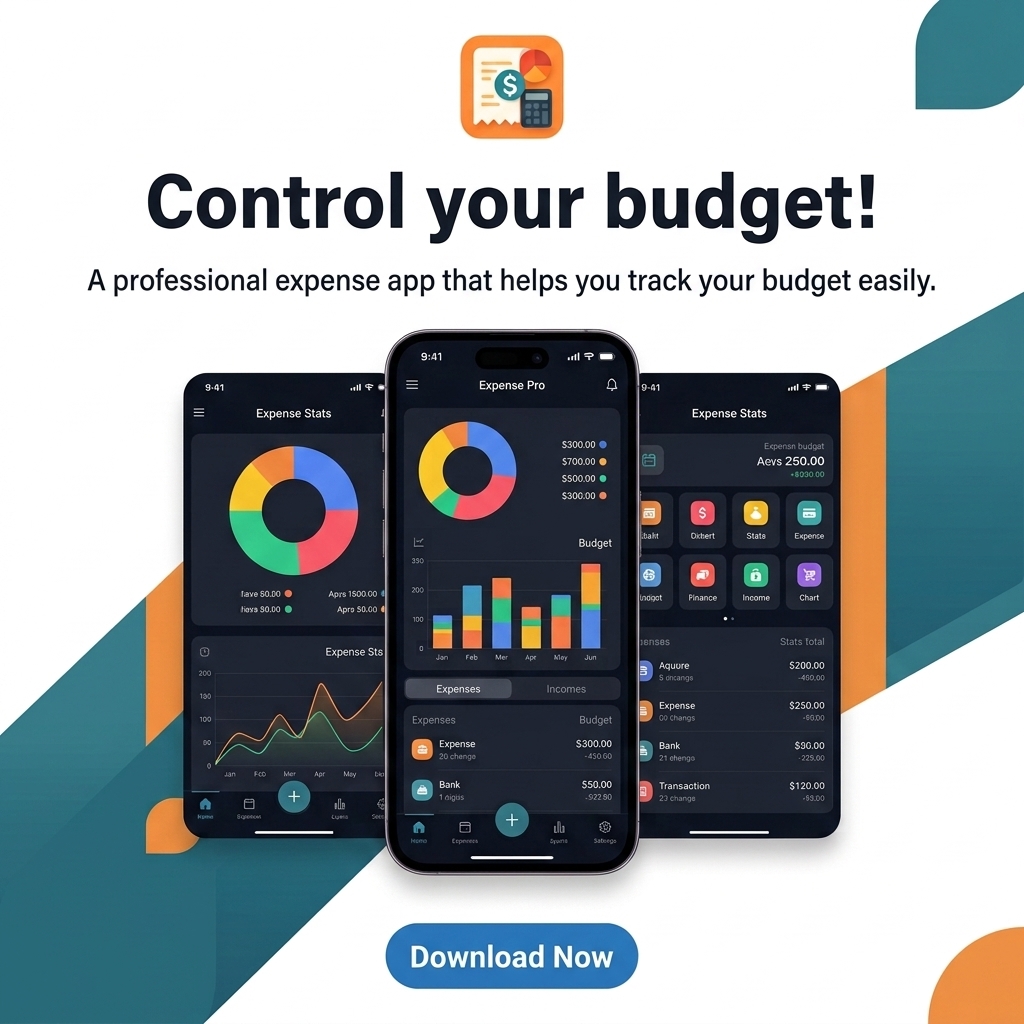
Three iPhone options compared on the same criteria
We read each product's own homepage and Adly's plan details in November 2026. Where a homepage does not describe something, the table says so. Check the App Store listing before you pay for any app.
| Criteria | Adly for iPhone | Draw Things | PosterMyWall |
|---|---|---|---|
| Works on iPhone | Yes, iOS 17 or later. Also opens on iPad. | Yes, plus iPad and Mac, per its site. | Its homepage does not mention an iPhone app. Check the App Store. |
| What the AI makes | Post designs, UGC videos, captions, edited Reels | Images, image to video, style transfer | Designs from templates, AI-written captions |
| Your own product photo | Designs built around it | Not described on its homepage | Lists a background remover |
| Brand colors, fonts, logo | Set once, used on every design | Not described on its homepage | Brand kits |
| Captions | One per network, in Arabic or English | Not described on its homepage | AI writer |
| Publishing | Publish or schedule to Instagram, Facebook Pages, TikTok and LinkedIn. X on Solo. | Not described on its homepage | Scheduling to social networks. Networks are not named on its homepage. |
| Where the AI runs | Cloud, synced with the Adly website | On device, with an optional cloud account | Not described on its homepage |
| Price | Free download. Plans from $18.99 a month through Apple. 3-day free trial on monthly plans for new subscribers. | Free edition. Draw Things+ at $8.99 a month. | Free tier. Paid tiers shown in euros on its homepage. |
Draw Things: private image generation
Draw Things makes images with AI on iPhone, iPad and Mac, and its site leads with privacy: generation runs on your device. As of November 2026 it lists a free edition, a free Community account that adds cloud computing, and Draw Things+ at $8.99 a month with higher compute limits.
It also covers image to video, style transfer and LoRA training, which means teaching the model a style or subject from your own pictures. Its homepage does not describe captions, social post sizes or publishing, so you would finish each post in other apps.
PosterMyWall: templates for small businesses
PosterMyWall speaks directly to small businesses. As of November 2026 its homepage lists templates, an AI writer for captions, brand kits, a content planner, scheduling to social networks, a background remover, AI voice and AI subtitles, with a free tier and paid tiers.
Paid prices on the homepage are in euros, and the page does not name an iPhone app or the networks it posts to. Check the App Store listing for what you would pay on iPhone. It suits people who like starting from a template and moving things around themselves.
Adly for iPhone: the post, finished
The App Store listing is called "Adly: AI UGC & Video Ad Maker", by Adly Technologies Ltd. It runs in Arabic and English. From the phone it designs posts in your brand colors and fonts, builds designs around your product photo, and makes UGC videos where real-looking people hold your product and talk about it. An AI video editor turns raw clips into an edited Reel with captions and music.
Each post goes to Instagram, Facebook Pages, TikTok and LinkedIn on every plan, and to X on Solo, with its own format and caption. Weekly and holiday posts can run on autopilot, a Brand Plan lays out a month of offers, posts and ads with the reason behind each, and you can read Meta ad results (spend, messages, leads, people reached) without opening Ads Manager. For multi-slide tip posts, the Instagram carousel generator works on the same account.
Draw Things and PosterMyWall are trademarks of their respective owners. Adly is not affiliated with them.
Which app fits the way you work?
Four common buyers search for this. Find yours, then read the pick.
You sell products and need promo posts and short videos
Your post has to show the real item your customer will receive. Adly builds designs around your product photo and makes UGC videos of people holding it. Among electronics brands on Adly, 26% of what they make is designs built around a product photo and 13% is video (Adly data, 31 brands, Mar to Nov 2026).
Pick: Adly
You make event flyers and enjoy editing templates
If you like choosing a template and moving text around yourself, a template-first app such as PosterMyWall suits that habit. If you would rather describe the event, approve a finished design and caption, and schedule it in the same place, Adly does that.
Pick: PosterMyWall for hands-on editing
You want AI art and care most about privacy
Draw Things generates on your device, so prompts and images can stay on the phone. It is an art tool. Text on the image, captions and posting happen in other apps.
Pick: Draw Things
You run social for a brand on several networks
The hidden cost here is repetition: one idea, five formats, five captions, five apps. Adly takes one approval and sends each network its own version, then shows everything in a calendar. See how cross-posting to TikTok and Instagram simultaneously works, and if your team already drafts in ChatGPT, read about automating Instagram publishing with ChatGPT on the same Adly account.
Pick: Adly
How to make and schedule a post on your iPhone
Install the app and set up your brand once. After that, every post comes down to three decisions: approve the design, approve the caption, choose when it goes out. Your time goes into checking, and Adly does the making.
- Install Adly. Search the App Store for Adly, or open getadly.com/ios on your iPhone. It needs iOS 17 or later.
- Sign in. Use Apple, Google or email. If you already use Adly on the web, your brands, usage limit and approvals are already there.
- Set up your brand once. Add your logo, colors and fonts, and upload real product photos. Every design after this uses them.
- Pick what to make. A design post built around a product photo, or a UGC video with a person holding the product and talking about it.
- Describe the post. Give the offer, the product and where it will run. Short works, for example: 20% off wireless chargers this weekend, Instagram feed.
- Check and approve the design. Run the five checks further down this page. If anything is off, ask for a revision before you move on.
- Approve the caption for each network. Adly writes one per network, in Arabic or English, and you can edit it.
- Publish now or schedule. Pick the connected accounts and a time. You get a push notification when the post is published, and you can turn that alert off.
Which size should each network get?
Tell Adly where the post will run before it designs, since a design cropped later can cut off your headline. Use this as your starting point for each network Adly publishes to.
The shaded bands on the 9:16 shape mark the top and bottom areas where app buttons and captions sit.
| Network | What Adly posts there | Good starting size | Watch for |
|---|---|---|---|
| Feed posts and Stories | 4:5 or 1:1 for feed, 9:16 for Stories and Reels | Text near the top and bottom edges on 9:16 | |
| Facebook Pages | Feed posts and Stories | 1:1 or 4:5 for feed, 9:16 for Stories | Same edge rule as Instagram Stories |
| TikTok | Videos post as TikTok videos, images as photo posts | 9:16 | On-screen buttons and the caption cover parts of the frame |
| Posts to your connected profile with up to 9 images or a video | 1:1 or 4:5 | Readers expect a caption with more context | |
| X (Solo plan) | Up to 4 images or one video per post | 1:1 | 280 characters per post |
Keep the important parts in the middle of tall formats
On Stories, Reels and TikTok, the platform's own buttons, profile name and caption sit over the top and bottom of the frame. Put the headline, price and product in the center. Stories are an Instagram and Facebook format. TikTok, LinkedIn and X get feed posts.
What Adly costs on iPhone, with the math
The app is free to download. Plans bought in the app are billed by Apple in US dollars. Prices as of November 2026.
| Plan | Monthly | Yearly | Yearly, per month |
|---|---|---|---|
| Spark | $18.99 | $181.99 | about $15.17 |
| Launch | $28.99 | $274.99 | about $22.92 |
| Solo | $48.99 | $469.99 | about $39.17 |
Yearly saves 20%. Every plan publishes to Instagram, Facebook Pages, TikTok and LinkedIn. Solo adds publishing to X and the UGC Trend Factory, where you swipe through ready video ideas, keep the good ones, and Adly makes and schedules them. The Growth plan is sold on the website, and a plan bought on the website works in the app, so you never pay twice.
When the weekly pass is cheaper
The weekly pass costs $8.99 a week and is sold only in the app. It gives you Launch tools with a weekly usage limit.
- 3 weeks of the pass$26.97
- 1 month of Launch$28.99
- 4 weeks of the pass$35.96
Rule of thumb: use the pass for a push of three weeks or less, such as a product launch or a holiday sale. If you post every week of the month, monthly Launch costs less. This compares price only. The pass carries a weekly usage limit, so make sure it covers what you plan to make that week.
Free trial, renewal and canceling
Monthly plans start with a 3-day free trial for new subscribers. Apple subscriptions renew automatically until you cancel. To cancel, open iPhone Settings, tap your name, tap Subscriptions, then choose Adly.
If you already have finished designs and only need to post them, compare budget-friendly social media scheduling tools first. Adly earns its price when you also want the content made.
Does on-device AI matter for a business post?
Where the AI runs changes privacy, speed and whether your work follows you to a laptop. Here is the honest trade-off.
On-device generation
Draw Things runs image generation on the phone, so prompts and pictures can stay there. Speed depends on your phone's chip, and long sessions can drain the battery. Its site also lists an optional account with cloud computing.
Cloud generation
Adly creates designs and videos on Adly's servers. Your phone sends the request and receives the result. That is why work made on the phone shows up on the website with the same brands and approvals, and why you can leave the app while a video renders.
Verdict: if keeping AI art prompts on your phone is the top priority, choose on-device. If you need the post designed, captioned and published, and picked up later on a laptop, cloud generation fits that job.
What brands actually do in their first week on Adly
These numbers come from Adly's own platform data for 1,218 brands, March to November 2026. They cover Adly as a whole, web and phone, since the iPhone app launched in November 2026.
0days
The median time from starting on Adly to the first published post. Most brands publish on day one (Adly data, 1,218 brands, Mar to Nov 2026).
- 93% of posts are scheduled ahead rather than posted on the spot. Owners plan their week, so an app that only exports images leaves half the job undone.
- The median active brand publishes 2 posts per active month. Electronics brands (31 in the sample) publish 4.
- Single post designs are 52% of what brands make, and designs built around a product photo are 25%.
- 11% of designs are revised before use, 13% among electronics brands.
- Brands make an average of 6 pieces in their first 7 days. Electronics brands average 7.1.
What these numbers mean for you
Day one is easy. The slowdown comes later: 2 posts a month is a light schedule for most brands. If you want a steadier feed, let the weekly and holiday autopilot posts fill the gaps, and plan a week at a time in the calendar. The revision rate is a useful test for any app you try: 11% of designs get a change, so asking for one should take seconds.
Case: Pro Hunter, a security systems and electronics store in Palestine
Pro Hunter describes itself as a store for security systems, surveillance and electronics. It has used Adly since May 2026, posts mostly in Arabic for its own market, and publishes to Instagram and Facebook.
- Made in its first 7 days
- 36
- Designs made
- 60
- Videos made
- 34
- Posts published through Adly
- 35
- Posts per active month
- 11.7
- Days to first published post
- 0
Its main formats are designs built around a product photo, single post designs and multi-product designs. That mix of product photos plus video is a pattern any gadget or gear seller can copy. You can see one of its published Instagram posts and a published Instagram Reel.
Source: Adly data, May to Nov 2026. Counts only what Adly can see on the account. If you also sell to Arabic-speaking customers, see AI social media ad design in Arabic.
Five checks before you tap publish
Use these on any AI post maker, Adly included. They take under a minute and catch the mistakes customers notice.
- Every word on the image. Read the headline, price, date and phone number out loud. One wrong digit in a price costs more than a revision.
- The product looks like the product. Check the color, model, ports and logo. If a buyer would be surprised when the box arrives, ask for a change.
- The crop. On 9:16, keep the headline and product in the center. On feeds, make sure nothing important touches the edge.
- Your brand. The right logo, your colors and the fonts you use everywhere else.
- The caption for each network. It fits X's 280 characters if you post there, has the right link or contact, and matches the offer on the image.
The short decision
If you want AI art made on your own device, get Draw Things. If you enjoy building flyers from templates, try PosterMyWall. If you want your phone to hand you a finished post, designed in your brand style, captioned for each network and scheduled to Instagram, Facebook, TikTok, LinkedIn and X, install Adly and make your first post today.
Questions iPhone buyers ask
Is there a free AI post maker app for iPhone?
Adly is free to download, and monthly plans start with a 3-day free trial for new subscribers. After that, plans start at $18.99 a month through Apple (as of November 2026). Draw Things lists a free edition for image generation, and PosterMyWall lists a free tier.
Can it post straight to Instagram and TikTok?
Yes. Adly publishes or schedules to connected Instagram, Facebook Pages, TikTok and LinkedIn accounts on every plan, and to X on Solo. On TikTok, videos post as videos and images as photo posts. Stories go to Instagram and Facebook.
Does it work on iPad?
The app is built for iPhone with iOS 17 or later, and it also opens on iPad.
Can I use my own product photos?
Yes. Upload real product photos and Adly builds the design around them, so the post shows the item you actually sell.
Will it write the captions?
Yes. Adly writes a caption for each network, in Arabic or English, and you approve it before anything is posted.
Does my work sync between my phone and computer?
Yes. It is the same Adly account. A plan bought on the website works in the app, and anything made in the app shows on the website.
How do I cancel an app subscription on iPhone?
Open Settings, tap your name, tap Subscriptions, choose Adly and cancel. Plans bought on the website are managed on the website.