 Adly
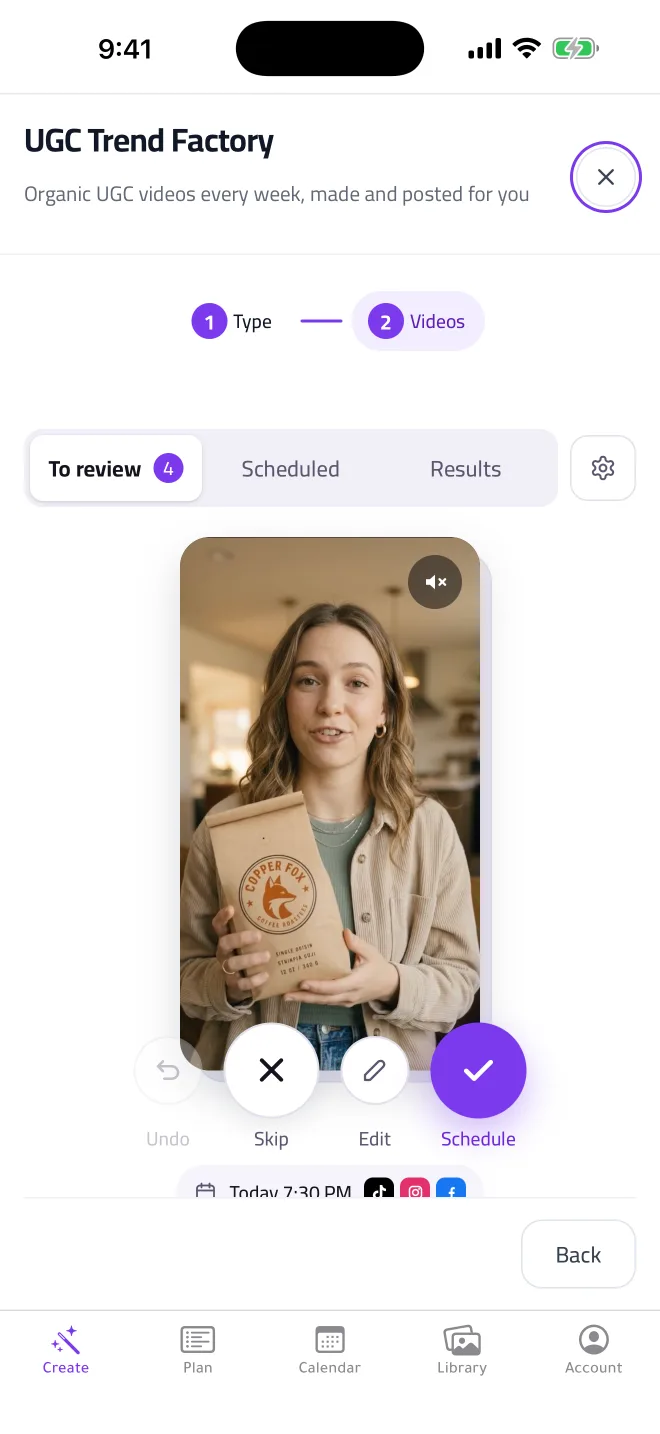

UGC videos that make themselves
Swipe through ready video ideas where real-looking people hold your product and talk about it. Keep the ones you like, and Adly makes and schedules them.
UGC Trend Factory is on the Solo plan.
Your ads, UGC videos and posts, made in your brand and published for you. All from your phone.


The app is for iPhone. On Android, use Adly in your browser: open Adly on the web
Swipe through ready video ideas where real-looking people hold your product and talk about it. Keep the ones you like, and Adly makes and schedules them.
UGC Trend Factory is on the Solo plan.
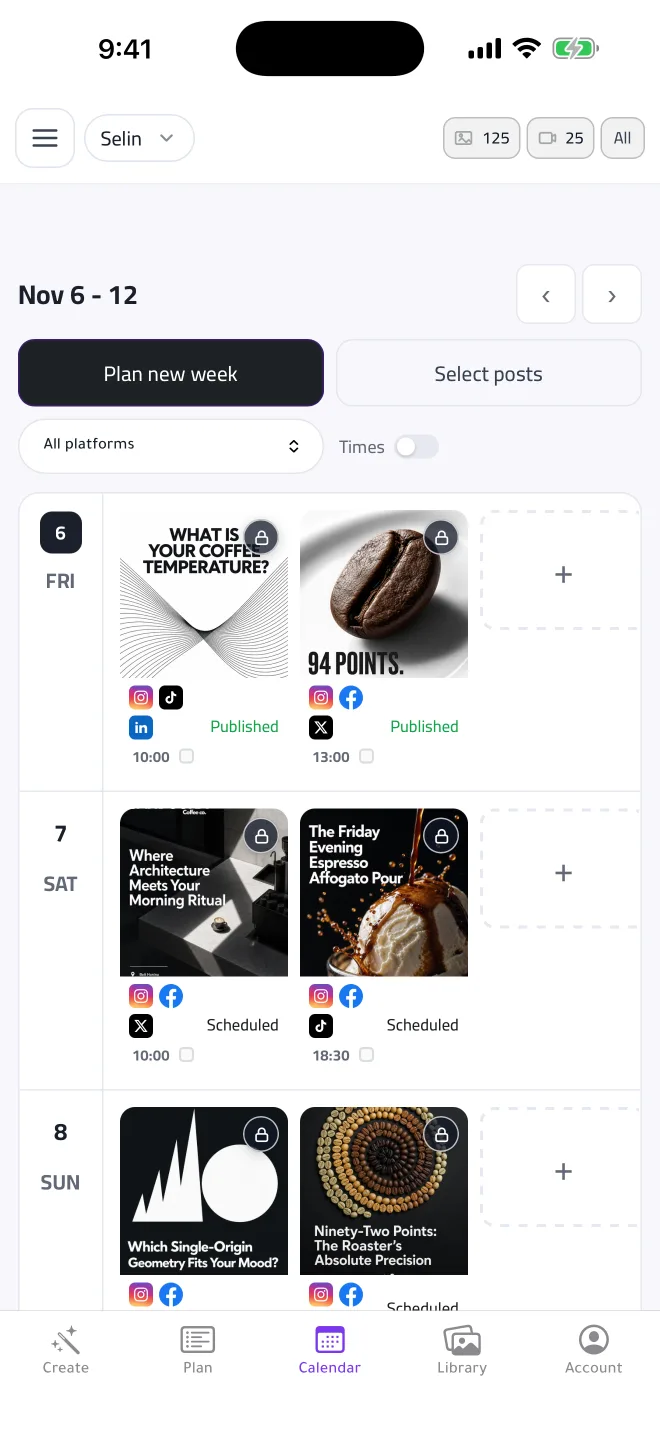
Adly fills your calendar with designs in your colors and fonts, then publishes each one on time. Turn on weekly posts and holiday posts once, and they keep coming.
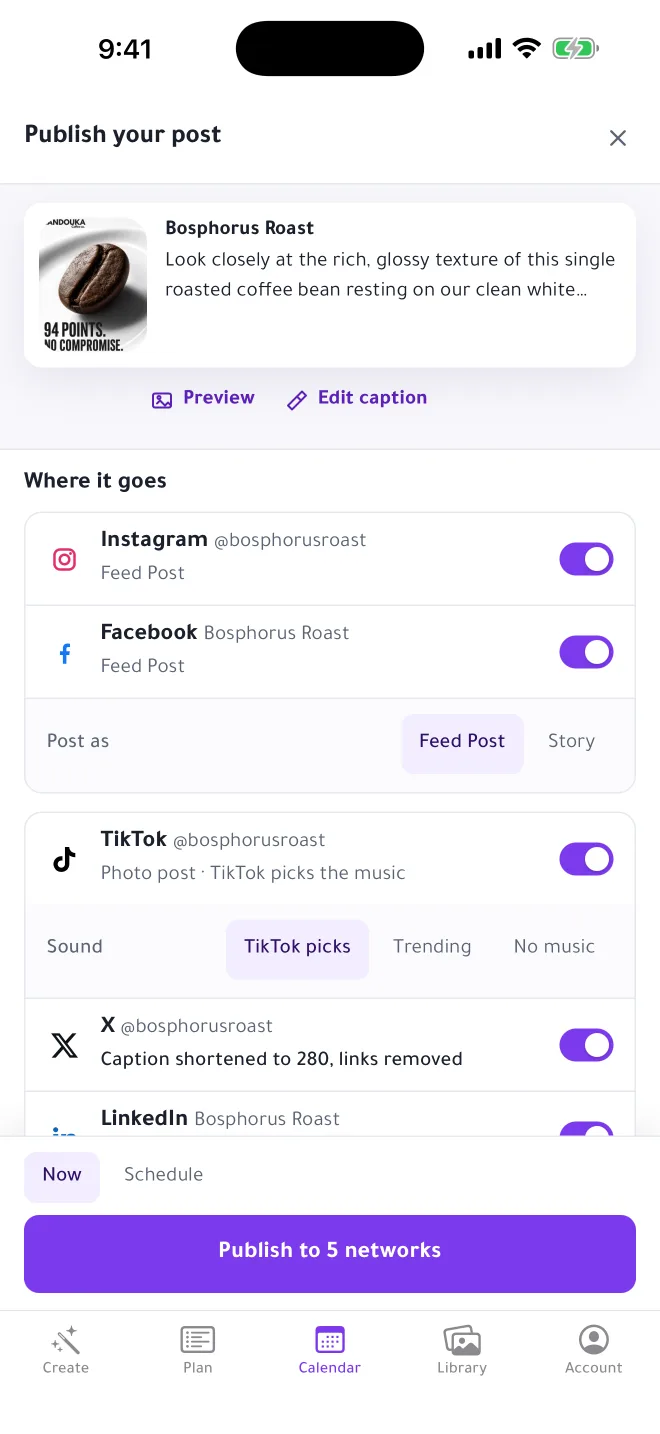
Instagram, Facebook, TikTok, LinkedIn and X, each with the right format and caption. Post now or schedule for later, and get a notification when it goes live.
Publishing to X is on the Solo plan.
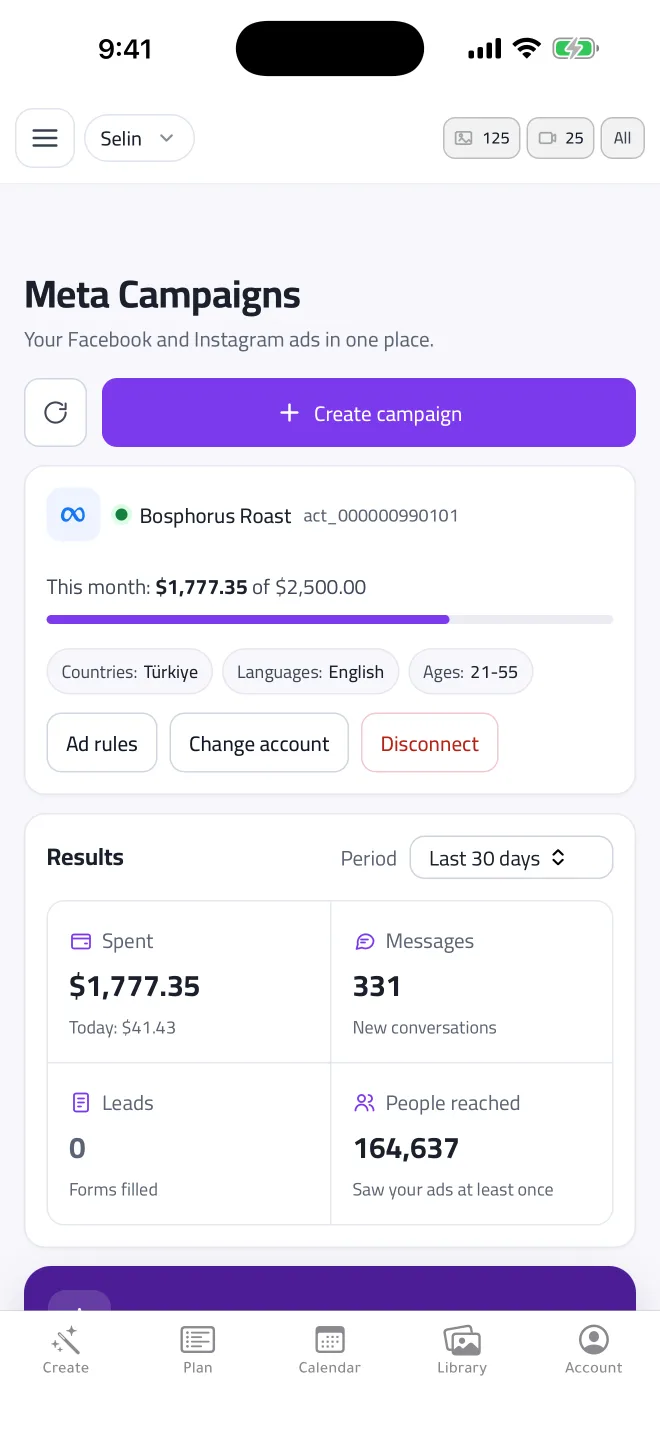
Connect your Facebook and Instagram ad account and check spend, messages, leads and people reached without opening Ads Manager.
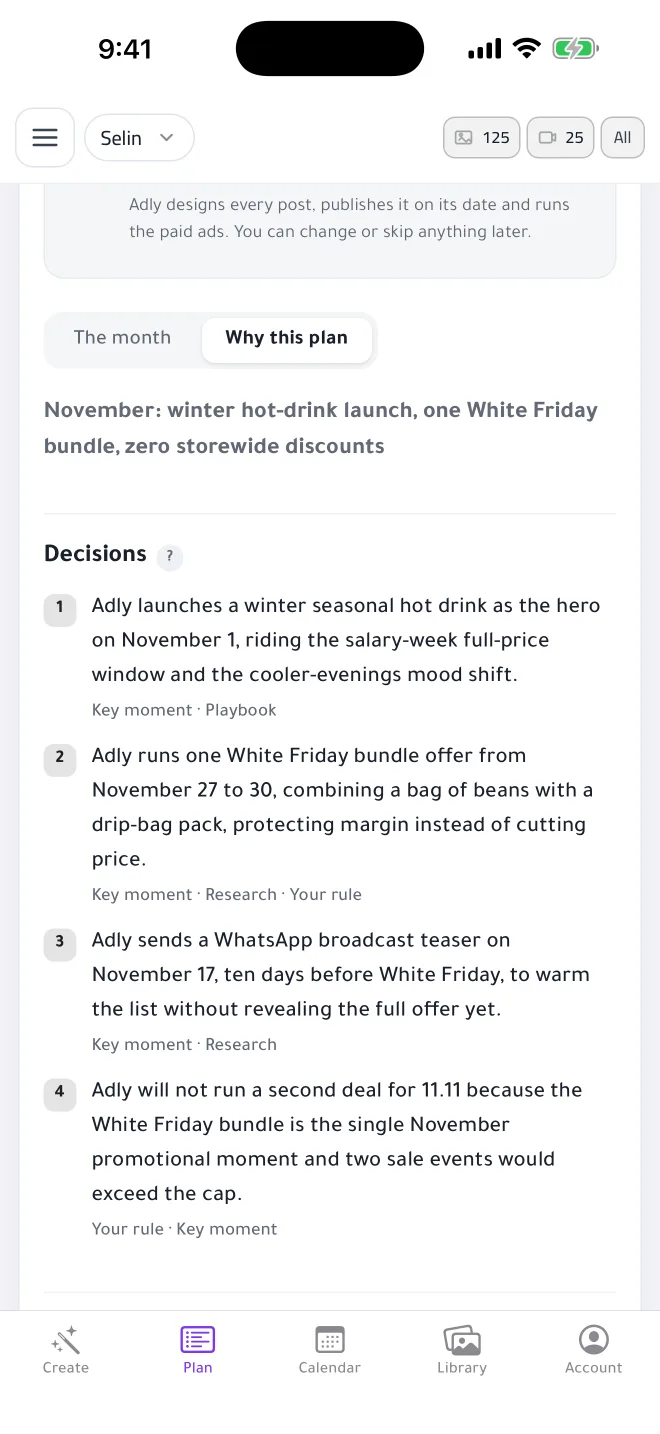
Brand Plan turns seasons, pay days and local occasions into a month of offers, posts and ads, and tells you the reason behind each one. Approve the month once.
The app is free to download. Creating needs a plan: a weekly pass, or a monthly or yearly plan. New subscribers get a 3-day free trial on monthly plans, and you see the price before you confirm.
Yes. Sign in with the same account you use on getadly.com. Your brands, designs, videos and scheduled posts are all there, and a plan bought on the web works in the app.
Instagram, Facebook Pages, TikTok and LinkedIn on every plan, and X on the Solo plan. You can post right away or schedule.
Yes. The app, the designs and the captions work in Arabic and English, with proper right-to-left layouts.
Adly is made for iPhone and also opens on iPad. There is no Android app yet; on Android, every feature works in your browser at getadly.com.
Plans bought in the app are managed by Apple. Cancel any time in your iPhone Settings, under your name, then Subscriptions.
Search Adly on the App Store, or open getadly.com/ios on your iPhone.